
Contents
- How to download photos from Threads
- How to download multiple photos from a Threads post
- How to save Threads photos on iPhone
- How to save Threads images on Android
- How to download Threads photos on PC
- What image quality can you download?
- Why can't I download Threads photos?
- Frequently asked questions
How to download photos from Threads
It works the same way for one photo or ten, on any device:
Copy the post link
In Threads, tap the share icon (the paper plane) under the post and choose Copy link. The link looks like https://www.threads.com/@username/post/….
Paste it into ThreadSave
Open threadsaveapp.com and paste the link into the box. The search starts by itself as soon as a valid Threads link is in the box.
Tap the photo you want
Under "Your media is ready" every photo has its own Photo 1, Photo 2… button. Tap one and the file is saved.
How to download multiple photos from a Threads post
A carousel is a post with several photos (or photos and videos) that you swipe through. ThreadSave lists every item of the carousel at once, so you don't have to download the post again for each picture.
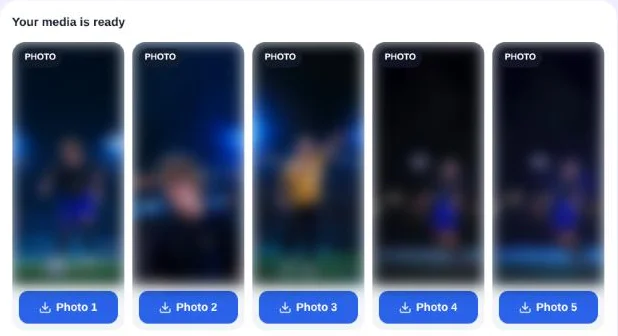
Tap the buttons one after another to save the photos you want; you don't have to take all of them. If the carousel also contains a video, it gets its own Download video button in the same list.
Tip: every photo is saved as threads_photo.jpg. Your browser adds a number when the name already exists (threads_photo (1).jpg, threads_photo (2).jpg…), so tap the photos in order if you want the files to follow the carousel.
How to save Threads photos on iPhone
- In the Threads app, tap the share icon under the post and choose Copy link.
- Open Safari, go to threadsaveapp.com, tap the box and choose Paste.
- Tap Photo 1 (and the other photos you want). If Safari asks, tap Download.
Safari puts the photos in the Files app, in Downloads, not in the Photos app. To move one to your camera roll, open it in Files, tap the share icon and choose Save Image.
How to save Threads images on Android
- In the Threads app, tap the share icon under the post and choose Copy link.
- Open Chrome, go to threadsaveapp.com and paste the link.
- Tap Photo 1 and any other photos you want.
Chrome saves the photos to the Downloads folder. Most gallery apps show them right away; if yours doesn't, open the Files app and look in Downloads.
How to download Threads photos on PC
- On threads.com, open the post and copy the address from the address bar, or use the share icon → Copy link.
- Open threadsaveapp.com and paste the link with Ctrl+V (Cmd+V on a Mac).
- Click the Photo buttons. The files go to your browser's download folder.
What image quality can you download?
You get the same image file Threads sends to people viewing the post. ThreadSave doesn't resize it, compress it again or add a watermark, so it is sharper than a screenshot, which can only be as big as your screen.
- Format: JPEG (
.jpg), which opens on every phone and computer. - Size: it depends on the photo the author uploaded. Two photos we tested came out at 1290 × 2793 and 1266 × 712 pixels.
- No upscaling: a small or blurry original stays small or blurry. No downloader can add detail that isn't in the file.
The same goes for videos; see how to download Threads videos.
Why can't I download Threads photos?
- The account is private. ThreadSave sees posts the way a logged-out visitor does, so photos from private accounts can't be downloaded.
- The post was deleted, or has no photo. You'll see "We couldn't find any media in this post." Check that the photo is in the post itself and not in a reply below it; a reply has its own link.
- The link is wrong. A profile link (
threads.com/@username) isn't a post. Copy the link of the post itself, and paste only the URL without extra text. - It's slow. Some posts take longer to look up, up to about 25 seconds. If Threads doesn't answer in time, try again a moment later.
To check whether a post is public, open its link in a private or incognito window where you aren't logged in to Threads. If you can see the photos there, ThreadSave can download them.
Frequently asked questions
Is ThreadSave free for photos?
Yes. There's no sign-up and nothing to install. One connection can look up 100 links an hour, which is far more than normal use needs.
Can I download all carousel photos at once?
ThreadSave shows every photo of the carousel at once, with one button each. Tap the buttons one after another; there is no single zip file.
Will the photos have a watermark?
No. ThreadSave doesn't add anything to the file. You get the image exactly as Threads serves it.
Will the person who posted know I saved the photo?
No. ThreadSave reads the public post the way a logged-out visitor does and doesn't interact with the account.
Can I repost the photos?
The photos belong to the person who took or posted them. Saving them for yourself is one thing; reposting or using them elsewhere usually needs their permission.